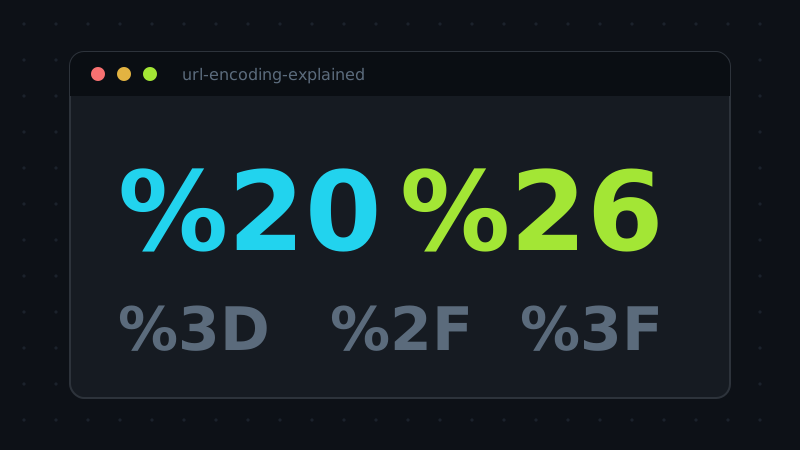
A URL is a surprisingly fragile container. It may hold only a limited set of characters, several of which — &, =, ?, #, / — are load-bearing structure rather than content. Percent-encoding is the escape hatch that lets arbitrary text ride inside that container: every unsafe byte is written as a % followed by two hexadecimal digits, so a space becomes %20 and an ampersand becomes %26. Simple idea, but two recurring confusions keep breaking real URLs.
Confusion one: the plus sign
Browse enough query strings and you will see spaces written two ways: ?q=hello%20world and ?q=hello+world. Both are understood by servers, but they come from different rules. %20 is the plain percent-encoding and is valid everywhere in a URL. The + is a legacy convention from HTML form submissions (the application/x-www-form-urlencoded format), and it only means "space" inside a query string — in a URL path, + is a literal plus sign. Mixing the two contexts is how searches for "C++" turn into searches for "C ".
Confusion two: component versus full URI
JavaScript exposes the distinction as two pairs of functions, and it maps to the two jobs you actually have:
- Component encoding (
encodeURIComponent) escapes the structural characters too. Use it for a single value — a search term, a filename, a redirect target — that will sit inside a URL, so an&or=in the value cannot split your parameters apart. - Full-URI encoding (
encodeURI) leaves: / ? & = #alone and escapes only what is illegal anywhere. Use it to sanitise a complete address without destroying its structure.
Encoding a whole URL with the component function gives you the memorable garbage of https%3A%2F%2F…; encoding a parameter value with the full-URI function gives you subtly broken links that work until a value contains an ampersand. Matching the mode to the job is the entire discipline.
How encoding goes wrong in practice
Three failure patterns account for most broken links. Double encoding: a value encoded twice turns a space into %2520 — the % itself got encoded — and the server decodes once, leaving a literal %20 in your search term. It happens whenever two layers of a stack each helpfully encode the same value. Encoding too late: building the query string first and encoding afterwards either destroys the structure or leaves raw values unescaped, depending on the function chosen. The safe order is always: encode each value as a component, then join the encoded pieces with the structural characters. Forgetting the path: query values get all the attention, but a filename with a space, a # or a non-ASCII character in the path segment needs encoding just as much — an unescaped # silently ends the path and starts a fragment, sending the server a different request than the one you see in the address bar.
What about non-English text?
Percent-encoding operates on bytes, and characters outside ASCII are first encoded as UTF-8, then each byte is percent-escaped. That is why a single é or CJK character becomes a run of three or more %XX groups, and why decoding must reverse the whole journey — bytes first, then UTF-8 back to text — or you get mojibake. It also explains the failure you have probably seen: a decoder complaining about malformed input because a % in ordinary text — a price, a percentage — was not followed by two hex digits. The encoder never sleeps; neither does the escaping rule.
Try the tool behind this article: URL Encode / Decode runs entirely in your browser — nothing you paste is uploaded.